Create an account and claim your free credits.

Create account
THE ARTICLE-TO-DRAFT WORDPRESS PLUGIN

Turn any article
link into a
WordPress draft.

Turn an article link into a rewritten WordPress draft. Less copying and formatting. More time to make it yours.

Saved as a draftYou choose when to publish
Singapore Times
Urban development

Floor space rules set for review as developers seek more design room

The Urban Redevelopment Authority is reviewing how gross floor area is worked out, in a change that could reshape what gets built — and what gets kept.

Publisher’s photo

National Development Minister Chee Hong Tat said on Sept 21 that the review followed feedback from the industry, and that further details would be released when ready.
Rewrite · Replace with stock photos

WWordPress draftSaved as draft
yourbrand.sg › insights › ura-floor-space-reviewSingapore reviews floor-space rules to widen development optionsSingapore is reassessing gross floor area guidelines to give developers greater design flexibility, support conservation and improve projects’ viability.
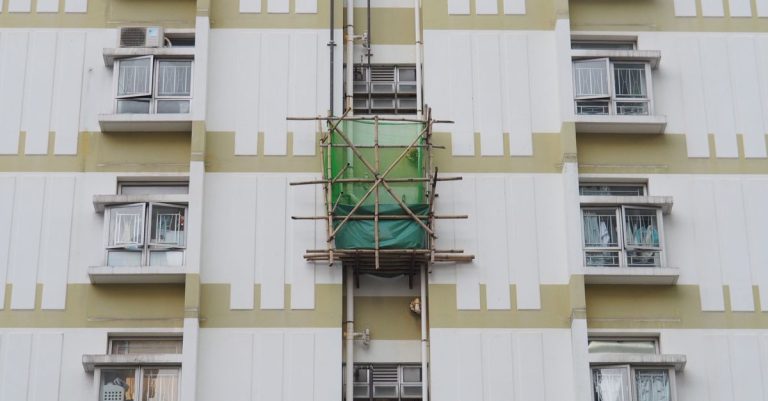
A residential block under bamboo scaffolding.
Photo: terry narcissan tsui / Pexels
Better rules should deliver the intended regulatory outcomes while reducing unnecessary costs, delays and friction for businesses.
  • Own headline · 62 chars
  • H1 › 4 H2
  • Excerpt
  • 5 tags
  • Alt text on image
singaporeurban planningdevelopmentconservationconstruction
Illustrative comparison.
BUILT AROUND YOUR WORDPRESS WORKFLOWBring a URLGet a rewritten draftMake your final edit
A familiar workflow, fewer steps

From found it
to working on it.

Keep your writing workflow where it belongs.
Right inside WordPress.

01

Connect once. Create from there.

Install the plugin, then paste your account key into its settings.

02

Bring an article worth building on.

Open Add Fork in WordPress and paste the article URL. The service handles the fetch and rewrite.

03

Make the final draft yours.

Review the structured draft, adjust the wording and images, and publish when you’re ready.

Walk through the setup
Less busywork. More editorial work.

A head start.
With you in control.

Move past copying, pasting, and cleaning up a page. Start with a draft you can actually work with.

Create your account

“The last word
is always yours.”

REVIEW. REFINE. PUBLISH.

Structure comes with it.

A rewritten headline, introduction, headings, and paragraphs give your draft a clear starting structure.

An article, not a summary.

The rewrite is designed to retain the source’s depth and factual detail. Review the result as part of your editorial process.

Images, your way.

Go text-only, attach source images, or look for a stock photo. Review and arrange images in WordPress.

Nothing goes live without you.

Every result starts as a draft. Edit it in WordPress and choose when it is ready for your readers.

The output is the point

A cleaner starting point
for your next piece.

See the journey from a source article
to a draft in your editor.

01 / THE SOURCE
Illustrative source outline

How to get started
with a balcony garden

An article with a headline, advice on sunlight, planting choices, and making use of a small space.

NavigationArticle contentNewsletter prompt
02 / YOUR WORDPRESS DRAFT
Illustrative output structure

A little space.
A greener everyday.

  • A rewritten headline and introduction
  • A structured article with clear sections
  • A draft ready for your review

Structure illustration only. This is not a recorded rewrite or a quality benchmark.

Credits that follow your workflow

Start with a draft.
Build from there.

Your account brings your credits and your article activity into one place.

  • Every charge is listed against the article that used it
  • Article usage starts at one credit and varies
  • Every pack says how long its credits last
How credits work
Your first step

A place for your
next draft.

Create an account, then connect your WordPress site.

Create account
Welcome offer

Free credits to start.

Every new account can claim them once, from the dashboard. They last a month from the moment you claim them, and an ordinary article costs about one credit — longer or heavier rewrites cost more.

Create account
A few things worth knowing

Good questions.
Clear answers.

Have the details before
you create your first draft.

Read the setup guide
What does Content Fork actually do?

You submit an article URL inside WordPress. The service fetches and rewrites the article, and the plugin creates a structured draft on your site. You can then edit and publish it in WordPress.

Will it publish anything automatically?

No. New articles are saved as drafts. You decide what to change and when to publish.

What happens to the images?

Choose a text-only draft, images from the source page, or a stock photo. Available images are downloaded to your WordPress media library and attached to the draft. The first attached image becomes the featured image; body placement is manual.

How many credits does an article use?

Usage starts at one credit and can increase with the work needed to rewrite an article. A credit pack is not a fixed number of articles. Your dashboard shows your available balance and what each article was charged.

What are the free credits?

Every new account can claim free credits once, from the dashboard — the card there says how many, before you claim them. They last a month from the moment you claim them. An ordinary article costs about one credit; longer or heavier rewrites cost more.

What if an article cannot be fetched or rewritten?

Some pages cannot be retrieved or processed. Check the job status in WordPress for the reason and next step. If a job pauses for credits, add credits and then resume it from the plugin.

Which WordPress sites can use it?

The plugin declares WordPress 6.0 or later and PHP 8.0 or later. It creates standard WordPress posts. Additional hosting and editor compatibility testing is still being documented.

Can I choose the language or writing style?

The hosted rewrite is instructed to use the source article’s language and a neutral editorial tone. Review the result before publishing; custom tone and translation controls are not currently offered.

Your next article starts here

One link.
A new starting point.

Bring the source. We’ll help with the first draft.

Create accountMade for WordPress. Published by you.